This article explains how confirmation emails are triggered in CBP and what controls whether they are sent.
Understanding this helps you:
Troubleshoot “I didn’t receive an email” complaints
Ensure your email settings are configured correctly
Know when emails are (and are not) sent
1. When Is a Confirmation Email Sent?
A confirmation email is sent when the reservation moves to the CONFIRMED stage in the system.
How and when this happens depends on your configuration:
If your store requires payment (full or deposit), the reservation moves to CONFIRMED after successful payment.
If your store operates with a 0% deposit, the reservation can move directly to CONFIRMED once checkout is completed.
Reservation type settings may also influence when a booking reaches CONFIRMED.
If a reservation does not reach the CONFIRMED stage (e.g. payment fails or session expires), a confirmation email is not sent.
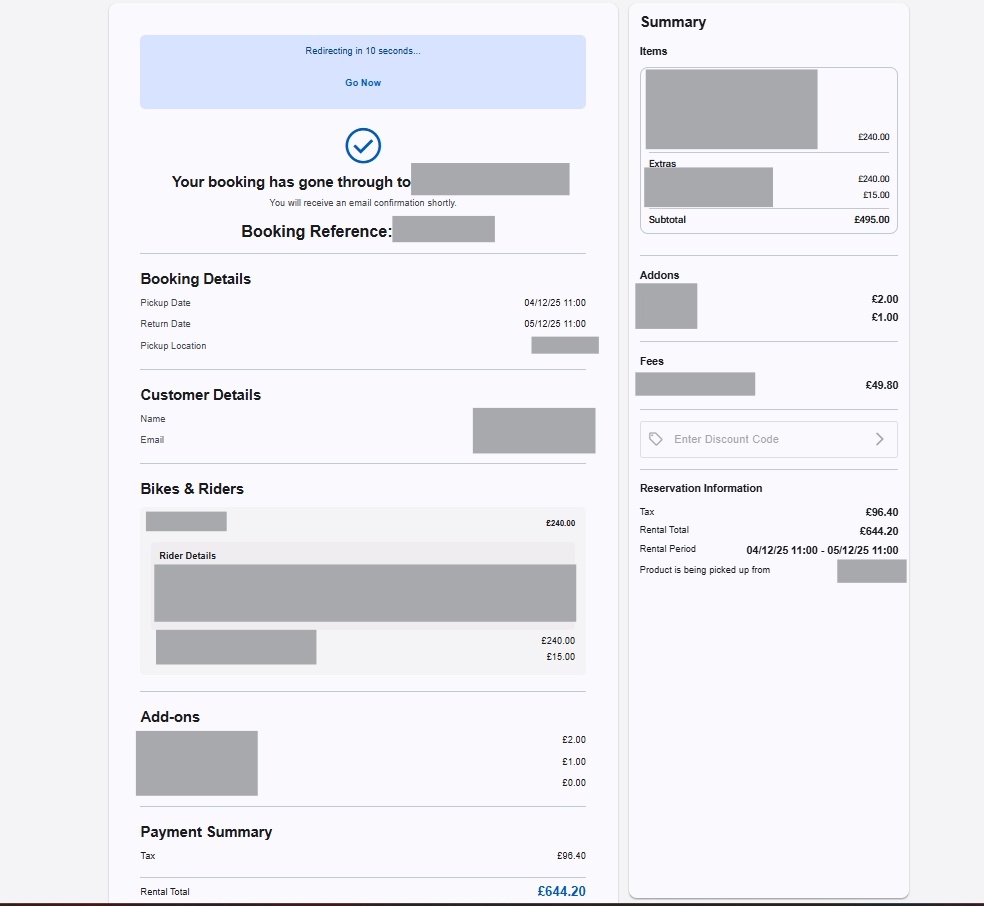
2. Where the Email Is Sent
The confirmation email is sent to:
The email address entered during checkout
If the customer is logged in, this may be their saved account email (unless changed during checkout).
If a customer reports not receiving the email, check:
The email address on the reservation
Whether it was entered correctly
Whether the email was filtered to spam/junk
3. What the Confirmation Email Contains
The confirmation email typically includes:
Booking reference number
Rental period
Pickup location
Selected products
Add-ons and fees
Rental total
Amount paid (if deposit used)
If your store collects deposits, the email will reflect:
The full rental total
The amount paid
The remaining balance due (if applicable)
4. What If the Customer Does Not Receive It?
If the booking appears confirmed in the back office but the customer has not received the email:
Confirm the email address is correct
Ask the customer to check spam/junk folders
Resend the confirmation manually (via the back office)
If the reservation does not appear in the back office, the booking was not successfully completed.
5. Session Expiry vs Confirmation Emails
If a booking session expires before payment:
A confirmation email is not sent
Inventory is released
If you have enabled session expiry emails in your settings, a cancellation email may be sent instead.
See: What Happens If a Booking Session Expires
6. How to Configure Email Settings
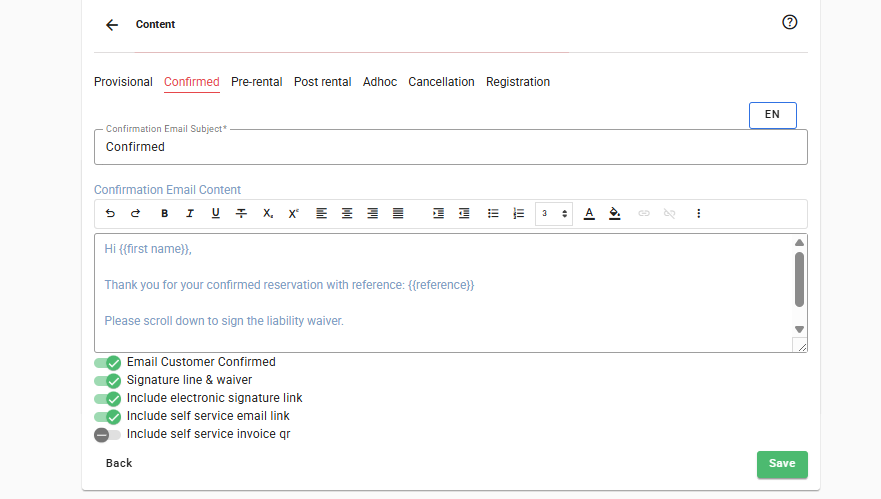
Confirmation emails must be enabled and properly configured in your back office settings.
You can control:
Whether confirmation emails are sent
Email template content
Branding and wording
See: Email Notifications - Content Panel
Common Questions
“I paid but didn’t get an email.”
Check the reservation in the back office first. If it exists, verify the email address and resend if necessary.
“Why did I get a cancellation email instead?”
The checkout session may have expired before payment was completed.
“Can customers book without receiving an email?”
Yes — the booking is valid once confirmed, even if the email fails to deliver.
Best Practice for Store Owners
Keep confirmation emails enabled
Review your email templates regularly
Make sure your branding and contact details are correct
Train staff to check the reservation list before assuming a booking failed
Was this article helpful?
That’s Great!
Thank you for your feedback
Sorry! We couldn't be helpful
Thank you for your feedback
Feedback sent
We appreciate your effort and will try to fix the article