Your CBP online booking site uses a timed checkout session to temporarily hold availability. If that session expires before payment is completed, the booking is not confirmed.
Understanding this helps you explain why customers sometimes say their booking “disappeared.”
Why Sessions Expire
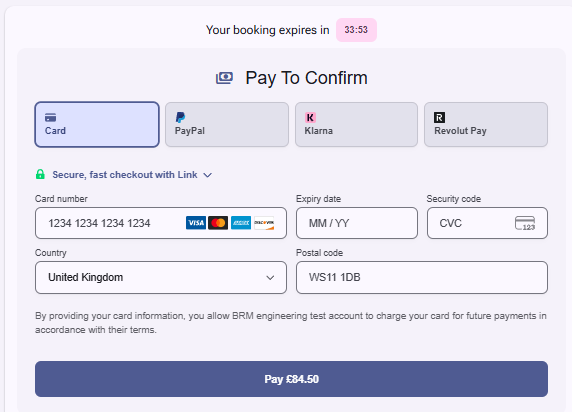
During checkout, a countdown timer appears on the payment page.
This timer exists to:
Temporarily hold product line availability
Prevent overbooking while a customer is entering details
Automatically release inventory if checkout is abandoned
How Long Is the Timer?
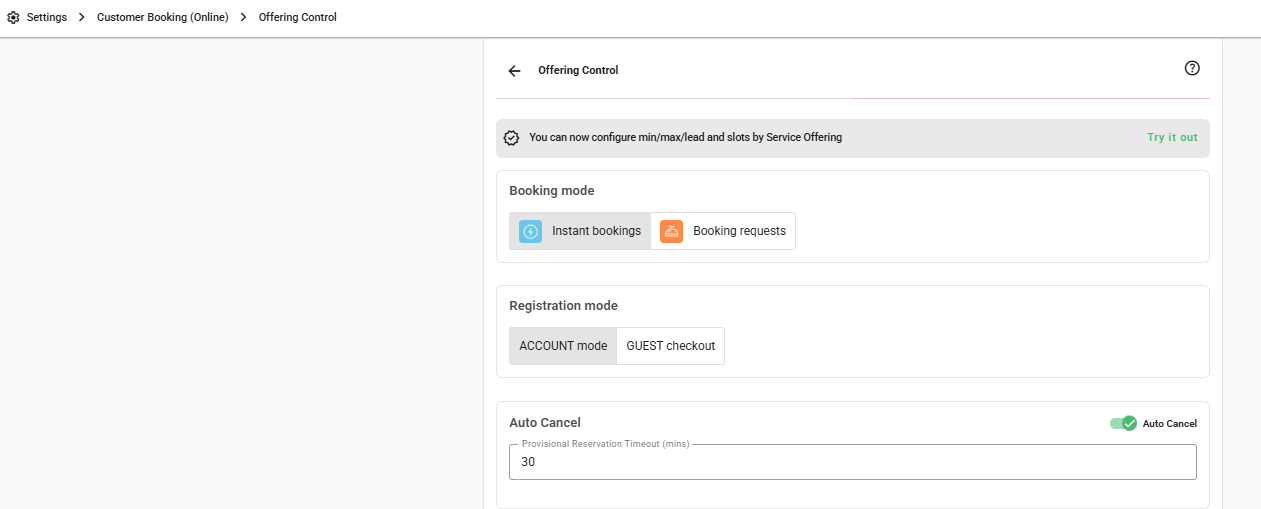
The session timer length is configurable in your back office settings.
You can control:
How long availability is held
How much time customers have to complete payment
For instructions on adjusting the session timer, see:
Auto-Cancel
What Happens When the Timer Runs Out
If the session expires before payment is completed:
The reservation is not confirmed
The temporary hold on availability is released
The customer must restart the booking process
No booking is created unless payment is successfully completed.
Cancellation Email (If Enabled)
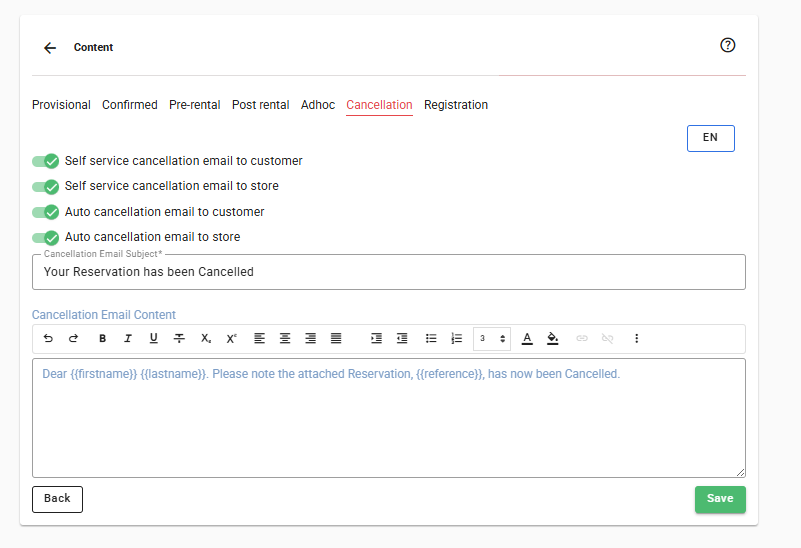
If you have cancellation emails enabled in your back office settings, the system can automatically send a cancellation email when the session expires.
Important:
This only applies if the email setting is enabled
The email is sent to the address entered during checkout
The reservation (if created) will show as cancelled
If this setting is not enabled, no email will be sent — the session simply expires and inventory is released.
For instructions on enabling session expiry emails, see:
Customer self service booking cancellation
What If the Customer Was Entering Card Details?
If the session expires:
The checkout page will no longer allow payment
The customer must start again
If payment was successfully processed before expiry, the booking will complete normally.
If there is uncertainty, check:
The reservation list in the back office
The payment record
Does Session Expiry Affect Availability?
Yes.
While the session is active:
Availability is temporarily reduced
When the session expires:
Availability is restored automatically
This prevents abandoned checkouts from blocking stock.
Common Customer Questions
“My booking disappeared.”
The session likely expired before payment was completed.
“I received a cancellation email but I didn’t cancel.”
This can happen if checkout expired and session expiry emails are enabled.
“Was I charged?”
Only successful payments create confirmed bookings. If unsure, check the reservation list and payment records.
Best Practice for Store Owners
Set a reasonable session timer (not too short, not too long, minimum is 30 minutes)
Enable and customise cancellation emails
Make sure the email wording clearly explains why the booking was cancelled
Train staff to check both reservations and payments if customers report issues
Was this article helpful?
That’s Great!
Thank you for your feedback
Sorry! We couldn't be helpful
Thank you for your feedback
Feedback sent
We appreciate your effort and will try to fix the article