One of the most powerful features of BRM / RSM is that it is resource-driven. Rentals consist of items like bikes (resources), and you can only book those items if they are available for the given date / time. This availability has the granularity of 1 minute, meaning you can pack in your rentals - and get the most out of your assets. (see winning your game of tetris)
But by the same token, sometimes that power can get in the way of your workflow and make it harder. Sometimes you don't want to be able to book any item at any time.
- online - you only want your renters to use specified time slots like AM, PM or EVE
- back-office - you only want your staff to be able to book certain times
- tours / activities - perhaps you sell activities or tours that are constrained to certain times
Booking Slots
You will setup:
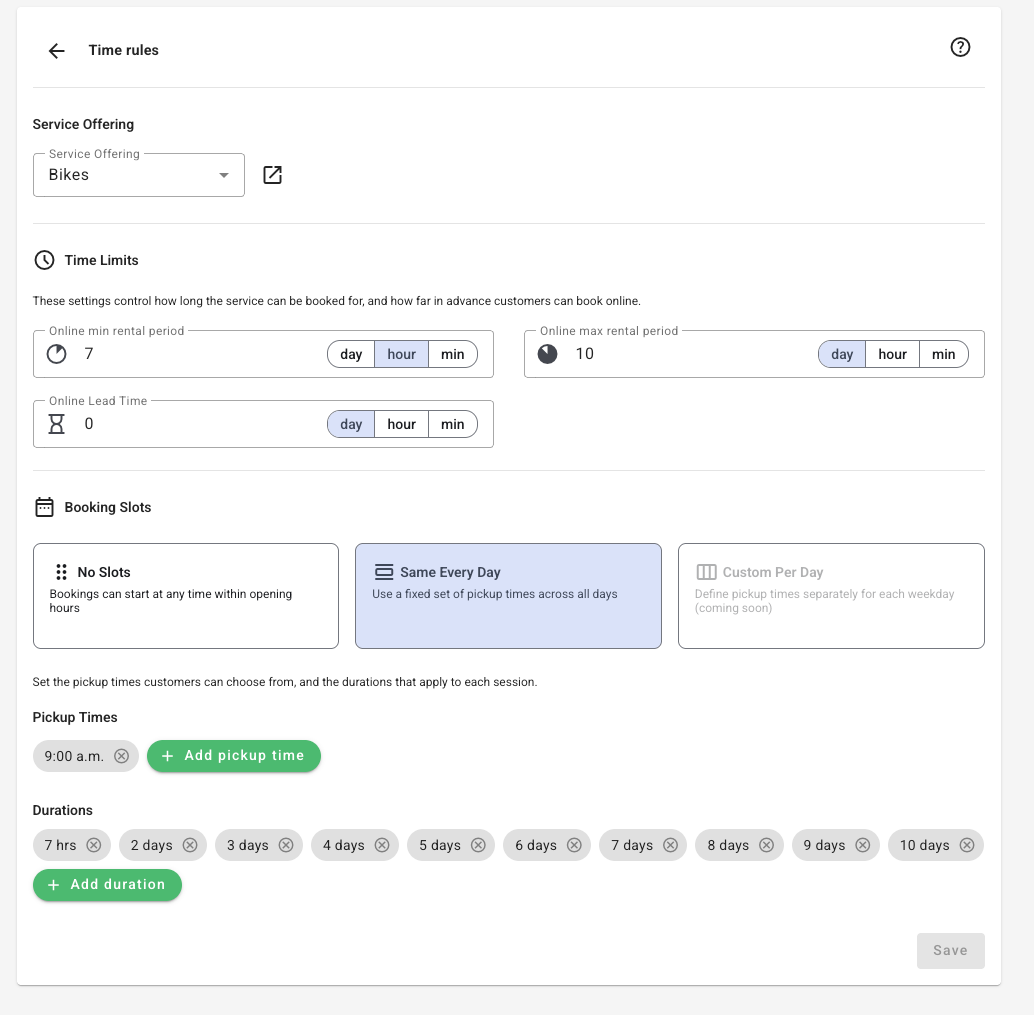
- which START TIMES you support
- which DURATIONs you support
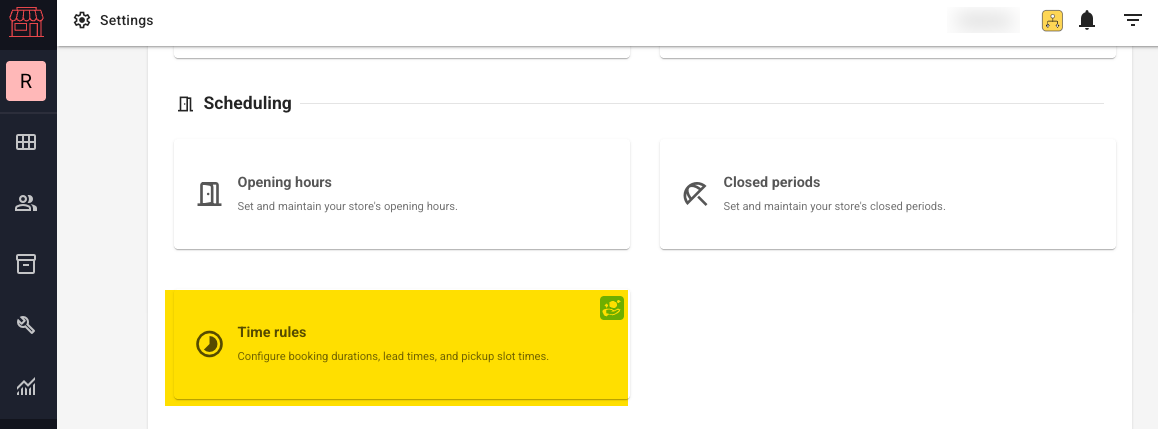
Settings > Scheduling > Time Rules
(please note - Time Rules are also configurable per service offering)
You will see this when you open the Time Rules page:
This is how it looks to your customers:
For their chosen date:
- they select a Pickup Time from the dropdown
- they select a Duration from the dropdown

Important Note*
Time Rules are intended to work with the new Customer Booking Page (CBP) and might not be reflected as intended with the Legacy Booking Page (OBW).
Let customers choose their own dates and times: No Slots
Choose No Slots under Settings → Scheduling → Time Rules when customers should select their own start and end dates and times. Their choices remain within Online Store Hours and the minimum and maximum rental durations you set.
Check your prices for shorter and longer rentals before using this option. Billable Day Mode is a separate setting: 24-hour mode treats a day as a 24-hour period, while Full Day mode follows the store’s business day. No Slots does not require you to change Billable Day Mode, although that choice affects how rentals are charged.
Was this article helpful?
That’s Great!
Thank you for your feedback
Sorry! We couldn't be helpful
Thank you for your feedback
Feedback sent
We appreciate your effort and will try to fix the article